Put your domain's signed record on your own README.
One image tag. It shows who serves your domain, who handles its mail, who issued its certificate, whether it answered when we last knocked, and the id of the receipt that says so. It re-renders itself as the record changes, it states the instant it is describing, and it links back to the signed observation anyone can check. No account, no key, no script.
Build yours
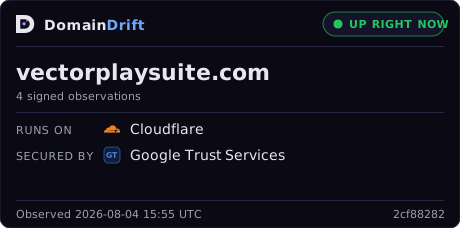
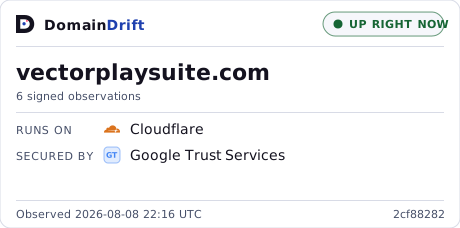


On a GitHub README
Markdown. Paste it anywhere GitHub renders Markdown - a repository README, an organisation profile, a release note, a wiki page.
[](https://domaindrift.io/t/vectorplaysuite.com)GitHub serves the image through its own proxy, which is why the badge is a plain SVG carrying no scripts and no external references. If your README is read in both colour schemes, this picks the badge to match:
<picture>
  <source media="(prefers-color-scheme: dark)" srcset="https://domaindrift.io/badge/vectorplaysuite.com.svg">
  <img src="https://domaindrift.io/badge/vectorplaysuite.com.svg?theme=light"
       width="460" height="228"
       alt="DomainDrift signed observations for vectorplaysuite.com">
</picture>
On a web page
Plain HTML. The link is not decoration: it is what turns the claim into something a reader can check, so keep it.
<a href="https://domaindrift.io/t/vectorplaysuite.com">
  <img src="https://domaindrift.io/badge/vectorplaysuite.com.svg"
       width="460" height="228"
       alt="DomainDrift signed observations for vectorplaysuite.com">
</a>
The image URL
If you are pasting into something that only takes a URL - a status page, a wiki, a docs site, a chat unfurl - this is the whole thing.
https://domaindrift.io/badge/vectorplaysuite.com.svgOptions
| Parameter | Values | What it does |
|---|---|---|
style | card (default), flat | The full 460×228 card with the provider rows, or a 420×68 strip that sits in a row of other badges. |
theme | dark (default), light | Which ground it is drawn for. Both are built to the same contrast standard. |
An unrecognised value falls back to the default rather than failing, because this URL gets typed by hand and a typo should produce a badge, not a broken image.
How fresh it is
The badge is cached for fifteen minutes at the edge and five in your reader's browser, so a page that gets a lot of traffic does not turn into a lot of lookups. That is safe to do only because the badge carries an absolute timestamp instead of "updated 3 hours ago": a cached copy is not a stale claim, it is an accurate claim about a stated earlier instant. Underneath, a domain someone is watching is re-observed every few minutes and the rest of the catalogue on a rolling sweep, so the timestamp on the card is the honest answer to "how current is this" and the cache never moves it.
What it says, and what it does not
- It reports an observation, not a verdict on you. A signature proves who recorded a reading and that nothing has been altered since. It is added accountability. It is not a statement that the site is safe, correct, or endorsed, and the badge never uses those words.
- It carries its own timestamp. Every badge states the UTC minute of the observation it is describing, so it can never imply "right now" about a reading that is a day old.
- Nothing unmeasured is drawn. A domain with no signed scan shows no rows and says so in words. It never renders a zero or a green tick in place of a reading we do not have.
- A refusal is not an outage. If the last probe met a firewall, the badge says a firewall answered. That is neither up nor down, and reporting it as either would be a reading we did not take.
- It links back. The signed record behind every line is public at
/t/<domain>, receipt id and all, so the claim is checkable rather than decorative.
The provider marks
Each provider is drawn with its own colour, and with its own mark where the licence plainly allows it: 92 of the marks we carry come from Simple Icons under CC0, which is a public domain dedication, so they can travel onto your page with the badge. Everything else is drawn as our own lettermark in the provider's colour. Naming a provider identifies it; redistributing a company's logo file is a different question and not one we get to answer on their behalf.
Anything you can look up, you can badge
The badge is built from the same public record as the looking glass, so it works for any domain in the catalogue, not only your own. Vendors on a status page, dependencies in a README, the domains an integration relies on.
See the full signed record → Check a receipt yourself → How the record works →